

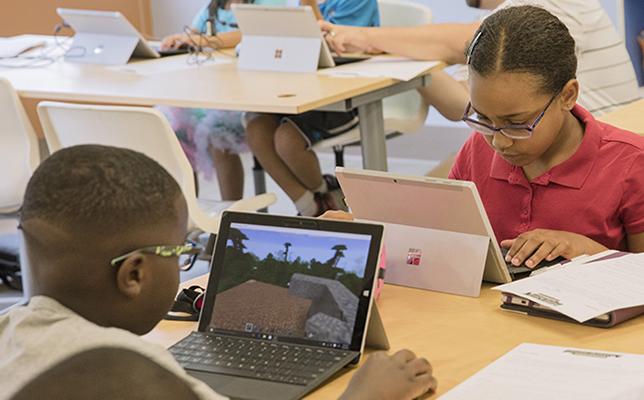
At Futurebytes, we are dedicated to shaping the innovators of tomorrow. With a mission to make learning accessible and engaging, we’re excited to inspire young minds this summer and beyond. See you this summer at Futurebytes—where curiosity meets creativity!
Minecraft Education is a version designed for learning environments, with tools such as a lesson library and Code Builder. Free play describes an open-ended activity rather than a particular software edition. A child can explore freely in Minecraft Education, and a regular Minecraft build can have a structured learning goal. [1]
Separate the software from the lesson
Minecraft Education includes features that support classroom instruction and coding with MakeCode. Access requires appropriate licensing; families should check whether a school provides access or whether a separate arrangement is needed. [1] These features make certain lessons easier to organize, but the teacher still needs to define the task.
In open play, children choose their own goals. That can create opportunities for exploration and design, although the activity may not target a specific curriculum concept. Ask what the child is trying to make and what decisions the task involves.
Add a goal and evidence to a build
Consider a small town. Free play might involve building whatever houses the child imagines. A structured lesson could require equal-size plots, a limited block budget, and a route connecting every building. The learner can calculate quantities and explain why the layout meets the constraints.
A coding lesson might ask the Agent to carry out a repeated action. Minecraft Education’s computing resources use Code Builder to connect coding with STEM tasks. [2] Children should predict what the instructions will do and explain how they produce the result.
Keep space for creative choices
A learning goal does not require identical buildings. Let the child choose a design while keeping the mathematical or coding requirement clear. Finish by reviewing what worked, what needed revision, and what evidence supports the result.
When choosing Minecraft learning classes for Bay Area kids, ask which edition is used, how access is managed, and what students should understand afterward. At home, add one manageable question to an existing build rather than turning every play session into an assignment. The educational value comes from the goal and reflection, supported by the software's features.
Resources
[1] Minecraft Education — Parent guide and edition differences
[2] Minecraft Education — Code to Learn STEM
.png)